


SpyX: Monitoring App
4.8147.00 Reviews
App Specs
- Version
- 2.1.2
- Updated On
- License
- Free
- Downloads
- 50,000+
- Developer
- SPYX.COM
- Categories
- Parenting
- Platform
- Android
Screenshots
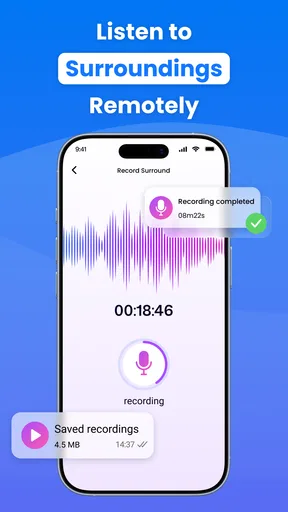
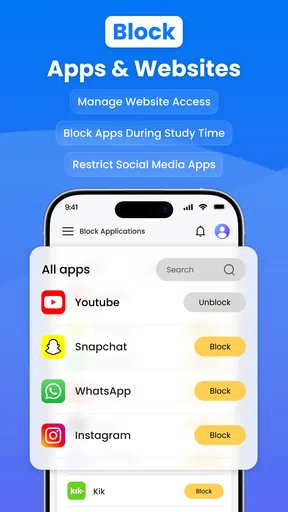
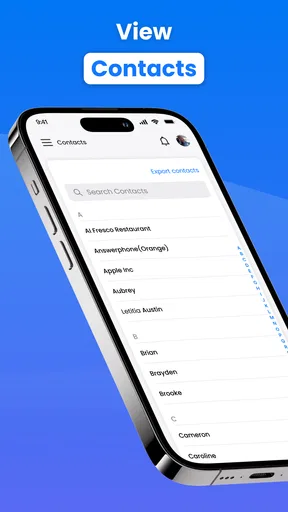
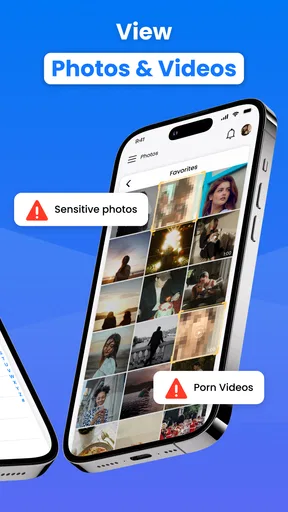
 Analysis by AppCompare
When a child is becoming more independent, it can be hard to balance trust with practical safety checks. SpyX is a parenting app from SPYX.COM that brings location monitoring together with keyword alerts and tools for blocking apps or websites. I find that mix most relevant for families who want to set clear digital boundaries and have a way to check where a child’s device is, rather than for anyone looking to inspect every part of another person’s phone.
Why location is the feature to think through first
GPS monitoring sounds simple, but its value depends on what a family needs from it. For a parent coordinating a school pickup or checking that a teenager has reached an agreed destination, a location view can support a quick, practical conversation. It is not a substitute for calling, making a plan, or responding to an emergency, and I would avoid treating a map as a complete account of what a child is doing.
That distinction matters because monitoring can either reduce uncertainty or create needless tension. I would explain to a child what is being checked and why, then agree on situations where a location check makes sense. Using it as a backup for travel plans is easier to justify than silently checking throughout the day. The app’s monitoring tools are most useful when they support a family rule everyone understands.
How alerts and blocking fit around location checks
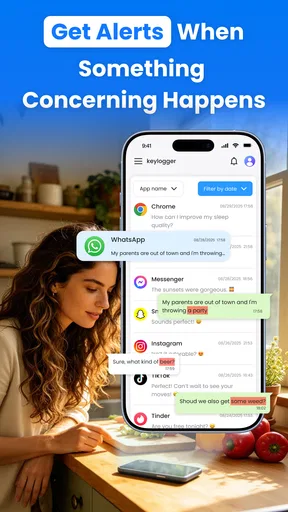
The other capabilities give parents a way to approach digital safety from a different angle. Keyword alerts can draw attention to selected terms, while app and website blocking can help enforce boundaries around particular kinds of content or screen use. Those tools address online activity; GPS addresses physical whereabouts. Keeping those purposes separate makes it easier to decide which feature is appropriate for a specific concern.
I would start with a narrow plan rather than turning on every available control at once. For example, a parent might first agree on a small set of concerns to watch for, decide which apps or sites are out of bounds, and use location only for agreed travel check-ins. This makes any resulting alert easier to interpret and gives the child a clear explanation of what the rules are. If the setup becomes a broad, unexplained inspection, the technology can undermine trust instead of helping build safer habits.
A realistic family routine
Imagine a child taking a familiar route home after school while a parent is still at work. The family could agree that the parent checks the device’s location if the usual arrival time passes, rather than watching the map continuously. If an online concern arises separately, a keyword alert or a restriction on a chosen app or website may be more relevant than location. This is a more measured use of SpyX: each tool has a defined job, and a check becomes a prompt for a conversation rather than a verdict.
A second useful routine is to review rules together when a child’s schedule changes. A new after-school activity may make existing check-in expectations confusing, so it is worth agreeing on destinations and when a parent should follow up. App or website limits can also be revisited as a child demonstrates more responsibility. I would treat settings as part of an ongoing family agreement, not as a one-time decision that never needs discussion.
Worth Reading Before You Choose

EA SPORTS FC Mobile 26 Is a Bigger Football Game, but It Takes Time

Flipboard Shows What News Apps Must Do Beyond the Feed

Switching to Android Auto Means Rethinking Your Driving Routine

Google Calendar Makes a Crowded Week Easier to Manage

Ludo King Makes the Most of the Minutes Between Plans

Baby Panda World Brings Quick Play to Modern Phones, but Its Game Library Feels Busy
Where it differs from simpler alternatives
Families often begin with built-in parental controls or a location-sharing option already available on their devices. Those can be a better fit when the only need is a basic screen-time limit, a straightforward location check, or controls already familiar to the household. SpyX is more relevant when a parent specifically wants the combination of GPS monitoring, keyword alerts, and app or website blocking in a parenting-focused app.
The trade-off is that a broader monitoring approach calls for more careful choices. A basic location-sharing arrangement can be easier to explain and may be enough for a family that only needs pickup coordination. A blocking tool alone may suit parents whose main concern is access to certain apps or sites. I would choose SpyX only when its combination of controls matches a real, clearly defined need; having more kinds of monitoring available is not automatically an advantage.
Using SpyX with clear boundaries
I find the most important part of using SpyX with clear boundaries is deciding what a location check is meant to answer before opening the app. A family might agree to use it for a late arrival or a changed pickup plan, while relying on direct conversation for everything else. That kind of shared expectation helps keep monitoring practical, limited, and easier to revisit as a child becomes more independent.
Practical setup decisions before you rely on it
Before relying on GPS checks, I would make sure the child knows when and why the family may use them. Agreeing on ordinary check-in expectations can prevent a parent from interpreting a delayed update as proof that something is wrong. A device’s location is one piece of context, not a conversation, and families should still use direct contact and established safety plans when those are more appropriate.
Keyword alerts also need a thoughtful approach. A term may appear in an innocent conversation, while a serious concern may be expressed without using the words a parent chose to monitor. I would treat an alert as a reason to check in calmly, not as evidence of wrongdoing. The same principle applies to blocks: explain what a limit is intended to prevent and revisit it when a child’s needs or maturity change.
One practical tip is to decide in advance who will review alerts and how quickly they can respond. If several caregivers share responsibility, agreeing on who handles a notification can avoid duplicate messages or mixed instructions. Another is to keep the number of restrictions tied to specific concerns; a focused setup is easier to explain and less likely to turn everyday device use into a series of confrontations.
Who is likely to benefit, and who should look elsewhere
I can see SpyX helping a parent who needs a combination of location awareness and digital boundaries, especially when a child is beginning to travel more independently. The app may also suit a household that has already discussed monitoring openly and wants a single parenting-oriented approach to location, alerts, and blocking. Its audience is narrower than “anyone who wants to monitor a phone”: the strongest case is a caregiver with a legitimate responsibility and a specific safety or boundary-setting goal.
I would skip it if the goal is secret surveillance, if the person being monitored is an adult who has not agreed to it, or if a simple built-in control already solves the family’s problem. It is also not the right answer for a parent expecting an alert or map to replace attentive supervision, direct communication, or professional support where a serious safety issue exists. Monitoring works best as one small part of a larger relationship, not as the relationship itself.
Availability and a measured verdict
SpyX is free, is rated for Everyone, and is listed for Android with a minimum operating-system requirement of Android 6.0. It was released on January 27, 2026, and its current version is 1.0.4. The app has 10K+ installs and an average rating of 0.0, so there is not yet a meaningful user-rating picture to lean on. I would assess it by whether its specific controls suit the family’s needs rather than treating popularity or a rating as proof of quality.
The practical questions I would settle before choosing it are straightforward: does the child’s device meet the Android requirement, which monitoring tools are actually needed, and what family rules will govern their use? I would also decide how the household will respond to an alert before turning one into a source of anxiety. These choices matter as much as the feature set, because a control that no one understands or uses consistently can cause friction without making anyone safer.
My overall view is that SpyX is most compelling when GPS checks are part of a transparent plan and keyword alerts or blocking address separate, specific concerns. It is less convincing as an all-purpose answer to parenting worries, and I would not recommend using it to monitor someone without a legitimate basis and appropriate consent. For a family that wants these particular controls and is prepared to discuss them openly, it is worth considering; for a simple location check or basic screen-time rule, a more limited alternative may be the calmer choice.
Easy Setup and User-Friendly Interface
First off, setting up SpyX is a breeze. I’m not exactly tech-savvy, but the process was surprisingly straightforward. After downloading, you’re guided through a seamless installation process. Just like that, you’re ready to start monitoring. The interface of the app deserves a special mention. It’s intuitive, clean, and you don’t need a manual to find your way around. Everything is laid out neatly, making navigation a walk in the park.
Packed with Features
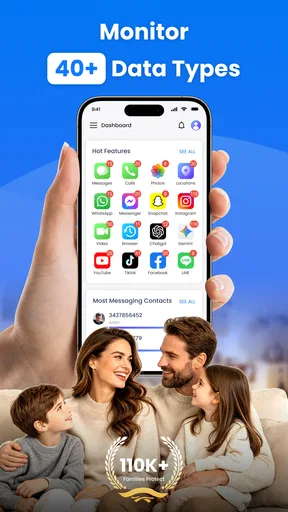
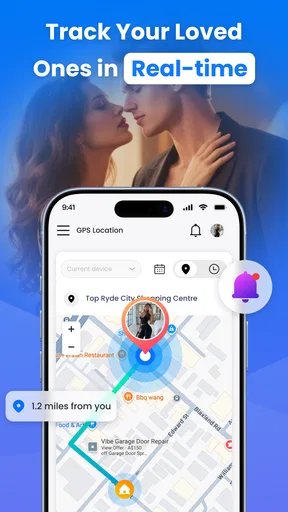
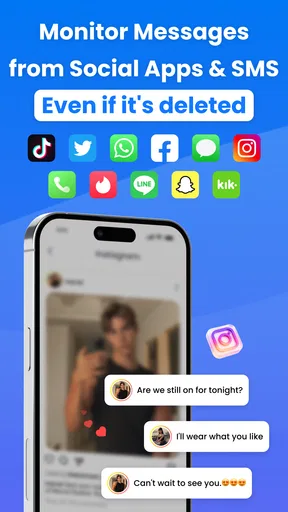
What really caught my eye was the range of features packed into this little app. From tracking calls and messages to checking social media activity, SpyX offers a comprehensive suite of monitoring tools. I found the GPS tracking particularly useful. Imagine being able to pinpoint the exact location of the device you’re monitoring! It’s a game-changer for parents wanting to ensure their kids’ safety.
Moreover, the app allows you to view multimedia files, browser history, and even installed apps. It’s like having a backstage pass to someone’s digital life. While some might find this a tad invasive, it’s certainly reassuring for those with genuine security concerns.
Performance and Reliability
Performance-wise, SpyX does not disappoint. During my testing, the app ran smoothly without any hiccups. It’s lightweight, so it doesn’t hog resources or drain the battery excessively. The data syncing is quick, and I appreciated the real-time updates. No delays, no fuss.
Reliability is key for any monitoring app, and SpyX delivers on this front. I didn’t encounter any crashes or bugs, which is always a plus. You want an app that works consistently, and this one ticks that box.
Privacy and Legal Considerations
Of course, using a monitoring app comes with its own set of ethical and legal concerns. It’s crucial to use SpyX responsibly. Make sure you have permission or legitimate reasons for monitoring someone’s device. The app itself emphasizes this in its terms and conditions, so it’s worth keeping in mind.
Privacy is another critical aspect. While the app does a fantastic job of keeping your monitoring discreet, it’s essential to ensure that the data collected is secure. SpyX employs encryption to safeguard information, so you can have peace of mind knowing your data is protected.
Pricing and Accessibility
Now, let’s talk numbers. SpyX offers a variety of pricing plans to suit different needs. Whether you’re looking for a short-term solution or a long-term monitoring strategy, there’s something for everyone. The plans are competitively priced, and you definitely get your money’s worth in terms of features and reliability.
The app is available for both Android and iOS, making it accessible to a wide audience. I tested it on both platforms, and it performed admirably on each. Cross-platform compatibility is a definite advantage, ensuring that no matter what device you’re using, you’re covered.
In a world where digital safety is becoming increasingly crucial, SpyX stands out as a reliable ally. With its easy setup, robust features, and reliable performance, it’s a solid choice for anyone looking to monitor devices responsibly. Just remember to use it ethically, and you’ll find it to be an invaluable tool in your digital toolkit.
Pros
- User-friendly interface and easy setup.
- Real-time GPS tracking for accurate location.
- Comprehensive call and message logs.
- Monitors social media activity effectively.
- Secure and discreet operation.
Cons
- Requires physical access for installation.
- Limited features on iOS compared to Android.
- Subscription can be pricey for some users.
- May raise privacy concerns for monitored.
- Occasional syncing delays reported.
FAQs for SpyX: Monitoring App
What is SpyX and what does it do?
SpyX is a monitoring application designed to help users keep track of various activities on a target device. It allows users to monitor text messages, call logs, social media activities, and GPS locations. It is especially useful for parents who want to ensure their children's safety online or employers who need to oversee company devices.
Is SpyX legal to use?
The legality of using SpyX varies depending on your location and how you use it. Generally, it is legal to use monitoring software if you own the device or have the consent of the device owner. It is important to comply with local laws and regulations regarding privacy and monitoring.
Can SpyX be detected on the target device?
SpyX is designed to operate in stealth mode, meaning it runs discreetly in the background of the target device without being easily detected. However, it’s essential to use it ethically and legally, ensuring the monitored individuals are aware of its presence if required by law.
What devices are compatible with SpyX?
SpyX is compatible with both Android and iOS devices. For Android, it supports versions 4.0 and above. For iOS devices, users may need to jailbreak the device for full functionality, although some features are available without jailbreaking. Always check the specific requirements for your device before installing.
How secure is the data collected by SpyX?
SpyX emphasizes data security, using encryption to protect the data collected from the target device. The information is stored securely and is accessible only through your user account. However, it is crucial to follow best practices for account security, such as using strong passwords and enabling two-factor authentication.


